Showing posts with label UI. Show all posts

Saturday, November 06, 2010

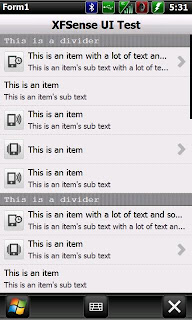
XFControls


Advanced UI SDK

Features:
Fully customizable
Easily create custom UI Controls
Resolution independent
Full physics for rendering smooth scrolling

Uses:
Quickly create UI controls
Develop full UI SDKs
Learn basic UI programming for .net CF 3.5

XFControls

Thursday, July 16, 2009

Max TF3D Theme Maker

Image Hosted by ImageShack.us

Do you use TF3D? Then this is a nice toy for you to play with.

Features:
Customize your theme with a push of a button
Capture other themes components
Special home tab layout configuration with analog clock
Personalized text on home tab ( can be expanded to size and font type )
Auto deployment of theme on scheduled time
Task and command bar color change ( can be expanded to other components )
Font color change ( can be expanded to size and type )
Taskbar icons deployment (do at your own risk)
Lots of components download contributed by the community on POST #4
Shake your phone to auto change wallpaper
WM6.5 Theme Settings + Alpha Blending
Requirement:
Supports WVGA (Components are all tweaked for WVGA)
NetCF 3.5 ( Cab Download )
Supprts standard Manila v3, v2 and v1
Tested on TouchFLO3D 1.3 35601
Tested on TouchFLO3D 2.0 378891 Classic
Tested on TouchFLO3D 2.0 378891 Custom
Tested on TouchFLO3D 2.1 381175 Custom
Tested on TouchFLO3D 3.0 38196

Installation:
If you have older version of MaxTTM, please uninstall before installing the latest version.
copy cab to your mobile
run cab ( recommend to install on storage card )
no soft reset required after installation
to uninstall, go into Settings > System > Remove programs and select Max TF3D Theme Maker
TO UTILIZE ALL FUNCTIONS (PERSONLIZED TEXT), YOU WILL NEED THE "HOME LAYOUT" COMPONENTS FOR IT TO WORK PROPERLY. UNZIP TO THE DIRECTORY YOU'D INSTALLED MAXTTM, OPEN THE APP AND DEPLOY ONE OF THE LAYOUTS
for add-on components supplied seperately through a zip file, just unzip contents directly to the root directory where you have installed the app. It will self extract to the \MaxTTM folders respectively
THE FIRST TIME YOU RUN THE APP, DO A BACKUP FIRST. IF ANYTHING GOES WRONG, YOU CAN DO A RESTORE THEME

Max TF3D Theme Maker

Tuesday, March 11, 2008

moGo


moGo is now independent

Features:
Finger friendly application launcher
Quick dial of favourite friends
Highly configurable menus and menu items
Missed call/sms/email notifications
Slide to quick launch(needs to be set in sets.txt)
Vibrate on touch(needs to be set in sets.txt, also probably not recommended)

Requirements:
.net compact 2.0
flashlite 2.1


How to use:
download and unzip the .CAB file
Transfer moGoInstall.CAB file to phone then click file to install.
INSTALL ONTO DEVICE!
Look in programs and run mogo.

paaaaaaaaaa of XDA-Developers

Friday, December 28, 2007

HTC Home on Excalibur


HTC Home works on excalibur.

I found the CAB in another thread. There were warnings about Installation, another Guy had to do a Hardreset to get his Device booting.
I tried out and on my O2 XDA Cosmo with WM6 it works fine.
I think the Device becomes slower but I like the Homescreen.

Try it on your own risk!!!!!!!!


mat2206 of XDA-Developers

Friday, November 23, 2007

Wednesday, September 26, 2007

Ball


WM6 WaitCursor Skin

There are a English and a German Version at the moment.

frufo2000 of xda-developers