Thursday, February 10, 2011

SendMyLocation


Sends SMS at intervals that includes your current GPS coordinate and location name/address/etc

Installation:
1. Extract the ZIP file
2. On your device, install SendMyLocationScheduler.cab (Device Memory) and SendMyLocation.cab (Storage Card)

How to use:
1. Launch SendMyLocationScheduler
2. Click on menu, choose the interval time
3. Choose the contact you want to send the sms to by clicking on Menu/Send To
4. Press Start then Exit
5. Done!
6. To stop the sms sending, relaunch SendMyLocationScheduler then go to menu/Stop

If you don't have an XML file created, the sms sent will only show your current Lat/Lon data

Thank you to DavidTiger for his WMLocationInfo.dll file and Hara's GPS dll file

TUTORIAL ON HOW TO CREATE XML FILES:

XML = this file contains the fenced area of a specific street/block/county/city/etc

This requires Google Earth

1. Fire up your Google Earth on your desktop
2. Navigate to the location you want to create a fenced area
3. Let's try Santa Clarita, Los Angeles, USA
4. Click on ADD A POLYGON icon

5. A Google Earth - New Polygon window will popup, type in the name of the location

6. Click on the style, color tab.
7. Choose a color of the Line you want to use.
8. In the Area part, choose OUTLINED, then click OK

9. A new polygon will be created in your My Places file

10. Right Click, then Save Place As. choose Save As KML file, then SAVE the KML file

11. Use DecDeg2DecMin.exe, click on CONVERT TO POINTS

12. Choose the KML file you just created from Google Earth and it wil automatiacally convert it to an XML file
13. Copy the XML file to your device's \Storage Card\SendMyLocation\XML folder
14. Done!

Update:
2/24/2011
- uploaded DecDeg2DecMin_Feb242011.zip. the xml files will now be saved in your Desktop PC's C:\xml folder

2/12/2011
- added option to send as email
when sending email, make sure your email is already setup and this uses email account 1 in your device
- added more interval time options (hour/day)
- saves sms and emails sent in \storage card\senymylocation\ folder

DOWNLOAD
oldSAP SendMyLocation 2.12.2011

oldSAP SendMyLocation 2.10.2011


DecDeg2DecMin_Feb242011.zip

Saturday, November 06, 2010

Png2Exe


Let's say you have a nice exe file, but the icon included in the file is rubbish

This app can be used to create a launcher exe for that application with a PNG as the icon. It converts the PNG file into an ICON and inserts it into the EXE, so it can be used to set different icons as the ones provided in the original exe.

Really simple to use, takes 4 input values:

. Path of the original exe.
. Arguments to pass to the program.
. Path where the launcher will be created.
. Path for the PNG file used for the icon.

It allows to specify the arguments for the process, so it can be used to executing individual items on the control panel, or do more 'clever things' such as dialing up a phone number.

Png2Exe

XFControls


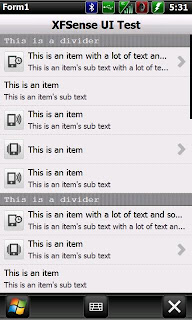
Advanced UI SDK

Features:
Fully customizable
Easily create custom UI Controls
Resolution independent
Full physics for rendering smooth scrolling

Uses:
Quickly create UI controls
Develop full UI SDKs
Learn basic UI programming for .net CF 3.5

XFControls

Friday, November 05, 2010

RapidRead


A forum reading app similar to Tapatalk for WinMo!

The intro...
RapidRead is a forum reading application similar to tapatalk.
The aim of this application is to offer you a fast, easy and economic way of accessing your favourite forums, without the need of a web browser or extra costs on your data plan.

Where can i use RapidRead?
RapidRead is for Windows Mobile 6.5.x and below. I haven't been able to test this on different resolutions or devices, but it should work everywhere.

RapidRead

WiFi File Sender


Tiny program for files transfer via WiFi.

Using:
1. You have to connect two devices via WiFi.
2. Run program on both devices. On first device fill "Recepient IP" (IP from "Your IP" on second device).
3. On second device set directory for files store.
4. On first device choose file and click "Send file".

WiFi File Sender

Saturday, October 16, 2010

Mobbyway


Mobbyway was developed to allow:
- you to stay connected with your relatives wherever they are.
- your relatives to follow you visually and in real time.
- you to go back at any time to a place where you have already been on a specific date.
- you to travel safely on the road network thanks to the network members: The Mobbynautes.
- you to have a part in the world cartography OpenStreet Map.
Today Mobbyway it is 10000 Mobbynautes using this system, after 20 weeks of explotation.

Mobbyway

Thursday, October 14, 2010

Mobile Currency Converter


a simple currency converter application with HTC Sense Interface Style.
Exchange rate downloaded from Yahoo! Finance. Downloaded exchange rate cache for user specified period.
All suggestions are welcomed.

Tips:
Do you really need all 153 currencies code supported by Yahoo!?
If not, copy the CurrencyList.csv from the application directory and trim down the file to suit your needs.
This can speed up the startup time too.

Mobile Currency Converter

Go To Sleep


Puts the device into sleep mode (or suspends the device). This application is useful because sometimes it's difficult to press the power button a device.

Go To Sleep

Friday, October 08, 2010

SpeedoPhone


a GPS speedometer for WM with a WP7-like UI

Being aware of your own speed can always come in handy, whether you want to avoid breaking limits, to verify your vehicle’s performance, your own, or just out of plain curiosity.
So here comes my latest creation, SpeedoPhone updated to the release 1.1.

If you have a WM device with GPS and you want to keep your speed under control, SpeedoPhone is what you need. You can use it when you’re on foot, in your car, on a train, on a plane, on boat or wherever you like.

The app has a Windows Phone 7 look, nice, user friendly and pleasing to the eye.


SpeedoPhone

Saturday, October 02, 2010

tiny Google Reader


Reader application for http://reader.google.com


Current Features
View your reading-list (10,20,30,50 items)
View your starred items (all)
View your shared items (all)
View your subscriptions (all)
View items of your subscribed feeds (10,20,30,50 items)
Mark as read (automatically when opening an item)
Like/Unlike
Star/Un-Star
Share/Unshare


tiny Google Reader

Monday, September 27, 2010

Cocktail Mixer


Thinking about having a party? Or maybe just want to try out something new? Cocktail Mixer makes sure that you find what you are looking for: choose from more than 15.000 recipes. No matter if you want a classic Cosmopolitan, a Bloody Mary, a coffee, a punch or a shot – Cocktail Mixer has it. You can list recipes by name, serving glass or type. The advanced search function allows you to easily search for all cocktails that contain specific ingredients; this feature comes handy when you only want to display the cocktails that you can actually make. Get for free one of your new favorite applications!

Cocktail Mixer is fully compatible with the following versions of Windows Mobile:
Windows Mobile 5
Windows Mobile 6
Windows Mobile 6.5

Cocktail Mixer

IconHelper


poksh's IconHelper is a windows mobile application that helps you change icons for programs in Start Menu. You can generate glass style icon using icons from program's EXE (result image size autocalculated from Start Menu layout) or you can use for generation (or just associate) any PNG image (with transparency also). Works for applications, folders and Control Panel applets. You can also reset the original icons if you wish.

Glass icons generation:
original EXE icons from .LNK (for program shortcuts)
original icons from CPL (for Control Panel applets)
PNG or GIF images (for all shortcuts)

Languages
English
Russian

Requirements: WM 6.5.x, .NET 3.5

IconHelper

MarioKartMini


This is a simple mini game version of MarioKart for your windows mobile device. You play as Mario , avoiding the rocks comming towards you and collecting stars for points.
Controls
Tap left side of screen to move left and tap right side of screen to move right.
Gameplay Features

1)Collect stars to earn 500 points each.

2)Avoid rocks , if game over , the game will auto-restart.

3) Your current score is to the left and your high score is to the right next to mario charactor.

4) Highscore is Auto-Saved!!! When you reach a highscore if you can post a screenshot!!

MarioKartMini

AutoLoudspeaker


an application that will automatically turn on the loudspeaker when the phone is away from the ear, and turns it off when it is near the ear.

AutoLoudspeaker is fairly simple to use. When running the application a service starts. If the shortcut is pressed again, a message box pops and the user can choose to close the service. As long as the service runs the Loudspeaker will automatically switch on if the proximity sensor is blocked and off if it is unblocked (only during an active phone call).

System Requirements
.Net Compact Framework 3.5
Tested successfully on: HTC HD2, HTC TP2

AutoLoudspeaker

Monday, September 20, 2010

Friday, September 17, 2010

Remote Control App


a Remote Control App for windows mobile. With this tool, you can control your PC with the mobile device.
There are two components: a server programm for windows desktop and a client program for windows mobile.
Connection is possible over WLAN or ActiveSync.

Remote Control App

SmartBoot


Bootmanager for WM6.5

This Bootmanager has a quite intuitive UI. You get an quick overview of the phone status and can select your boot profiles which you can manage inside the UI as you like.

Additionally you can have voice announcements and an extended information screen. On this info panel you can find all important information about your phone.

This app only requires .NET CF 3.5 to be installed on your device.

SmartBoot

Tuesday, September 14, 2010

WMLotto649


Generate combinations for 6/49 lotteries for Windows Mobile

Guessing 6 numbers out of 49 can be a hard game...thankfully, there's something that can lend you a hand with that.

WMLotto649 is a WIndows Mobile (yeah, I know you would never have said) app that generates series of 6 numbers, ranging from 1 to 49. If you don't know what numbers to pick, and that happens more often than one would think, that can come in handy.

Use it to play with several national lotteries, such as:
UK Lotto - UK
Lotto 649 - Canada
La Primitiva - Spain
Lotto 649 - Greece
Mark Six - Hong Kong
Loto 6/49 - Turkey
Euroworld Lotto, Megabucks, Go Lotto - Liechtenstein
Duzy Lotek - Poland
South African Lotto - South Africa
and others...

WMLotto649

VipRegExport


Registry backup Utility based on ini file

Requirement : .netCF 2.0 higher

Features:
It reads input ini file and create registry export per section for every values in that section. It saves registry in .reg file.
Sample ini file
# Secion name will file name to be export registry values in it
# this is how you can comments
[MyKeys]
F01=HKEY_LOCAL_MACHINE\Software\Microsoft\Shell\Ke ys
F02=HKEY_CURRENT_USER\Software\Microsoft\Today\Key s


#Setting for all third party software
[MySoftware]
F03=HKEY_CURRENT_USER\Software\HButton
F04=HKEY_CURRENT_USER\Software\waku
F05=HKEY_CURRENT_USER\Software\TodayAgenda
F06=HKEY_CURRENT_USER\Software\pocketMax
F07=HKEY_CURRENT_USER\Software\AlenSoft
F08=HKEY_CURRENT_USER\Software\Microsoft\Shell\Tas kSwitch
F09=HKEY_LOCAL_MACHINE\Software\ThrottleLauncher
F10=HKEY_CURRENT_USER\Software\Parlingo
F11=HKEY_CURRENT_USER\Software\Mort
F12=HKEY_CURRENT_USER\Software\Ghisler
F13=HKEY_CURRENT_USER\Software\FdcSoft
F14=HKEY_CURRENT_USER\Software\CallCalendar2
F15=HKEY_LOCAL_MACHINE\SOFTWARE\SHEALD
F16=HKEY_LOCAL_MACHINE\Software\HTC\HTCHome\Weathe r\Settings
F17=HKEY_LOCAL_MACHINE\Software\Pointui
F18=HKEY_LOCAL_MACHINE\Software\WiFiFoFum
F19=HKEY_LOCAL_MACHINE\Software\Apps\VicSoft ClearTemp
F20=HKEY_LOCAL_MACHINE\Software\Saman


[MyExtention]
F21=HKEY_CLASSES_ROOT\.mscr
F22=HKEY_CLASSES_ROOT\.mortrun
F23=HKEY_CLASSES_ROOT\MortScript
F24=HKEY_CLASSES_ROOT\.mbi
F25=HKEY_CLASSES_ROOT\MortButtonInfo
F26=HKEY_CLASSES_ROOT\.reg
F27=HKEY_CLASSES_ROOT\regfile
F28=HKEY_CLASSES_ROOT\.pdf
F29=HKEY_CLASSES_ROOT\AdobeReaderLE.2


[MySetting]
S01=HKEY_LOCAL_MACHINE\Software\Softick\Card Export\RunTrayClientAtStartup
S02=HKEY_LOCAL_MACHINE\Software\HTC\PHONE\BatteryI conLevel
S03=HKEY_LOCAL_MACHINE\Software\HTC\PHONE\bShowBat teryIcon
S04=HKEY_CURRENT_USER\Software\Microsoft\Internet Explorer\Main\Default storage location\All Files
S05=HKEY_CLASSES_ROOT\SystemFileAssociations\image \shell\save\Save Location\Default
S06=HKEY_CLASSES_ROOT\SystemFileAssociations\audio \shell\save\Save Location\Default
S07=HKEY_CLASSES_ROOT\SystemFileAssociations\video \shell\save\Save Location\Default
S08=HKEY_CURRENT_USER\Software\HTC\Camera\4.00\Str ings\Save Location
S09=S01=S01=HKEY_LOCAL_MACHINE\Software\HTC\Camera \General\EnableDCIM
S10=HKEY_LOCAL_MACHINE\Software\HTC\SUPL AGPS\EnableAGPS\Assisted GPS
S11=HKEY_LOCAL_MACHINE\Software\HTC\SUPL AGPS\EnableAGPS
S12=HKEY_CURRENT_USER\ControlPanel\Phone\ShowSIM
S13=HKEY_CURRENT_USER\ControlPanel\BackLight\QKeyL edTimeout
S14=HKEY_LOCAL_MACHINE\Software\OEM\Power\ShowMovi ngChargeBar
S15=HKEY_CURRENT_USER\ControlPanel\Sounds\RingTone 0\Sound
S16=HKEY_CURRENT_USER\ControlPanel\Sounds\RingTone 0\script
S17=HKEY_CURRENT_USER\ControlPanel\Sounds\RingTone 0\Category
S18=HKEY_LOCAL_MACHINE\Security\Policies\Policies\ 0000101a
S19=HKEY_LOCAL_MACHINE\Software\Microsoft\Shell\Sh owTitleBarClock
S20=HKEY_CURRENT_USER\Software\Microsoft\Today\Ski n
S21=HKEY_CURRENT_USER\ControlPanel\Keybd\DefaultKe yLock
S22=HKEY_LOCAL_MACHINE\Software\HTC\HTCHome\TabSet ting
There are three command line arguments supported
argument 1 : if not given then default is VipRegExport.ini
argument 2 : If not given default Application Folder
argument 3 : Default is 'N'. If you want to run in slient option then pass third parameter as "Slient"

What is slient option : It will not display any error message like "Registry key does not exist to export" and exit application after export completes.

GUI also gives ability to select input file as well output Folder.

HKEY_LOCAL_MACHINE\Security\Policies\Policies\0000 10a will export just one key 0000101a in HKEY_LOCAL_MACHINE\Security\Policies\Policies
where as F03=HKEY_CURRENT_USER\Software\HButton will export all keys and subkeys under that registry.
Basically if you want to export full registry including all subkeys and values then put actual key name in value If you only want to just export single keyvalue in specific registry then put keyname\valuename.

It also support HKCU, HKLM, HKCR, HKUS formats as well.

VipRegExport

Saturday, September 11, 2010

dV2t Translator


dV2t Translator provides bi-directional translation of words and phrases between languages (using BING or GOOGLE translator)

Features:
Free and open source (hosted at Microsoft Codeplex and Google Code)
Translate between languages: integrate 2 services (GOOGLE, BING) into one program.
Users can select translation services, can compare the results of them.
Support pronounce text (text-to-speech)
Undo, Cut, Copy, Paste, Delete, Select All
Using interface "Sense HTC's UI Look 'n Feel"

Requirements:
.NETcf 3.5
Internet connection (GPRS/3G/Wifi)

dV2t Translator