Thursday, August 03, 2006

SIPChange - FREEWARE POCKETPC


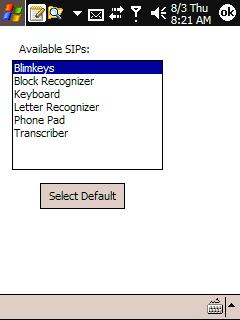
SIPChange has two execution modes. If executed with no parameter, it presents the list of SIPs available on your device and allows you to select a default. Once set, this information is stored in the registry. If executed with "SET" as the parameter it minimizes itself, reads the default from the registry and waits 10 seconds. When the timeout expires, it sets the Current SIP to your selected default and closes.

How to use:
1. Copy Sipchange.exe to your favorite programs directory
2. create a shortcut in your startup directory to execute sipchange with a "SET" parameter.
ie your shortcut execution parameter should look something like this:

"\program files\sipchange\sipchange.exe" SET

Now open SIPChange by tapping on the exe file (don't tap the shortcut here). You will be presented with a list of your available SIPs. Highlight the one you want to become the defaultIM and tap the "Set Default" button. The SIP will be changed to your selection and SIPChange will close.

That's it! The next time you (or your automatic nightly backup) resets your device, the default SIP will be reset to your choice.

Developer: Sleuth255 of XDA-DEV

DOWNLOAD

Capture Screen Utility - FREEWARE POCKETPC


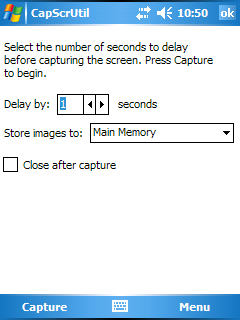
Capture Screen Utility is a useful utility for capturing screenshots and screenshots with displayed menu.

Features:
* Support QVGA and VGA screens
* Delay capture feature
* Auto filename numbering for multiple captures
* Save bitmaps to main memory or a storage card
* Close the utility after capture

DOWNLOAD

Wednesday, August 02, 2006

eXPerience - FREEWARE POCKETPC


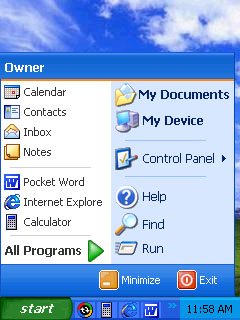
eXPerience for the Pocket PC is an accurate translation of the most popular interface for desktop computers. This interface is a great alternative to the one that ships with Pocket PC.

As of 10/23/2005 eXPerience is no longer available for purchase. And we can no longer offer free support for this product. The final version is made available for free.

The final version of eXPerience, version 2.09, is not compatible with Windows Mobile 2005.

DOWNLOAD

Tuesday, August 01, 2006

Kill ActiveSync 1.0


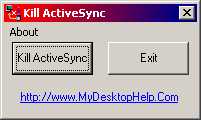
This Freeware Application Will Kill The MS ActiveSync Icon From The System Tray and Prevent ActiveSync From Loading Again Until You Run It Again.

Requirements: Windows 9x/ME/XP/2000, ActiveSync 3.x and above

DOWNLOAD

ClearType Powertoy - FREEWARE POCKETPC

Image Hosted by ImageShack.us
A software that can help you control the Cleartype and Gamma options.

DOWNLOAD

Tree ToDo List - FREEWARE SMARTPHONE


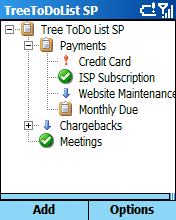
Manage your day-to-day Tasks with this outliner based ToDo List.

DOWNLOAD