Showing posts with label color. Show all posts

Monday, October 12, 2009

TotColor


This software is a colorimeter for pocketPc’s, you can view the colours RAL and Pantone, blend the colours RGB and CMY and compare the WEB colours of backgrounds and foregrounds. During all sessions, the RGB and #HTML values can be displayed. Furthermore, it is possible to select between the Italian or English language. Requirements: Compact Framework 3.5, WM5 WM6.

TotColor

Monday, December 10, 2007

QuickColor


QuickColor allows you to change system colors and Home Screen font color directly on your Smartphone. Find the right color for you.

Supported Smartphones

* Windows Mobile 5 for Smartphone
* Windows Mobile 6 Standard

smartmadsoft

Saturday, November 03, 2007

AutoBaseHue


AutoBaseHue is a program that allow to choose the desiderated value for the registry key

HKLM\Software\Microsoft\Color\BaseHue

Furthermore, bacuse of the value of BaseHue is resetted
after every device's soft-reset, AutoBaseHue restore the
chosen value at every boot of windows.

gi4mmyz of modaco

Monday, August 27, 2007

Thursday, December 28, 2006

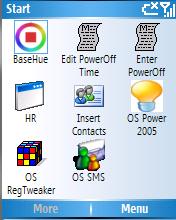
BaseHue - FREEWARE SMARTPHONE


BaseHue color setter.

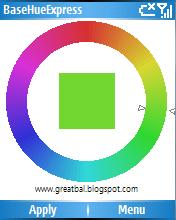
This application is a complement to greatbal's BaseHue Express for WM5 Devices

After setting your basehue color using BaseHue Express,


use a registry editor and navigate to:
HKLM\SOFTWARE\Microsoft\Color\Basehue
and you will see the value of the color you chose.


Then navicate to:
HKCU\Software\BaseHuse\BaseHue
and enter the same value.


After a soft reset, the basehue value set by BaseHue Express will revert back to the original value (14008200)

Execute BaseHue.exe and you will see the color change to your previous choice.

Create a BaseHue.exe link file in your \Windows\Startup folder so that when you reboot your phone, the basehue color of your choice will automatically be applied.

DOWNLOAD